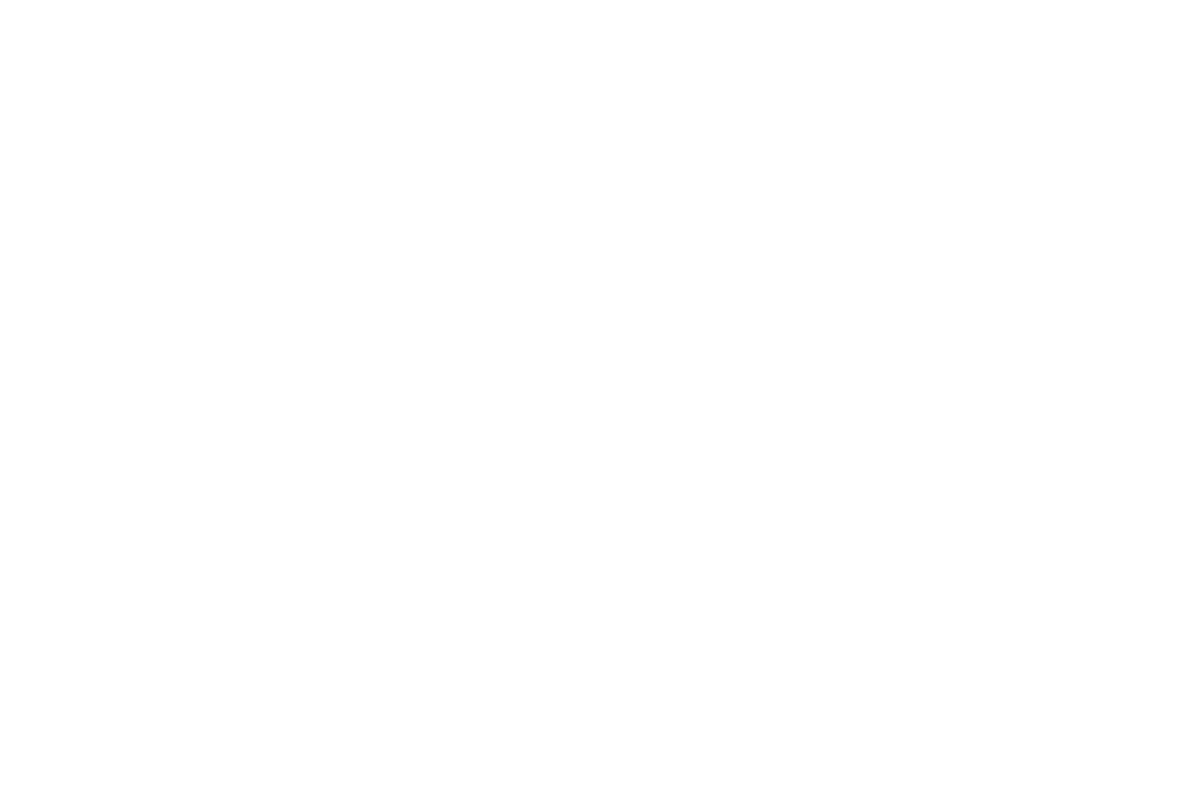

A small but useful update to your Reviews: the “Last Answers” tab is replacing the “Last 10” tab. Previously, this tab would show you your last ten answers. Now you can just view all your answers, correct and incorrect. A couple other conveniences were added, too. To try it out, just start up your Reviews and press the “Last Answers” button.
Then, do some reviews. As you do them, you’ll see your answers populate the area.
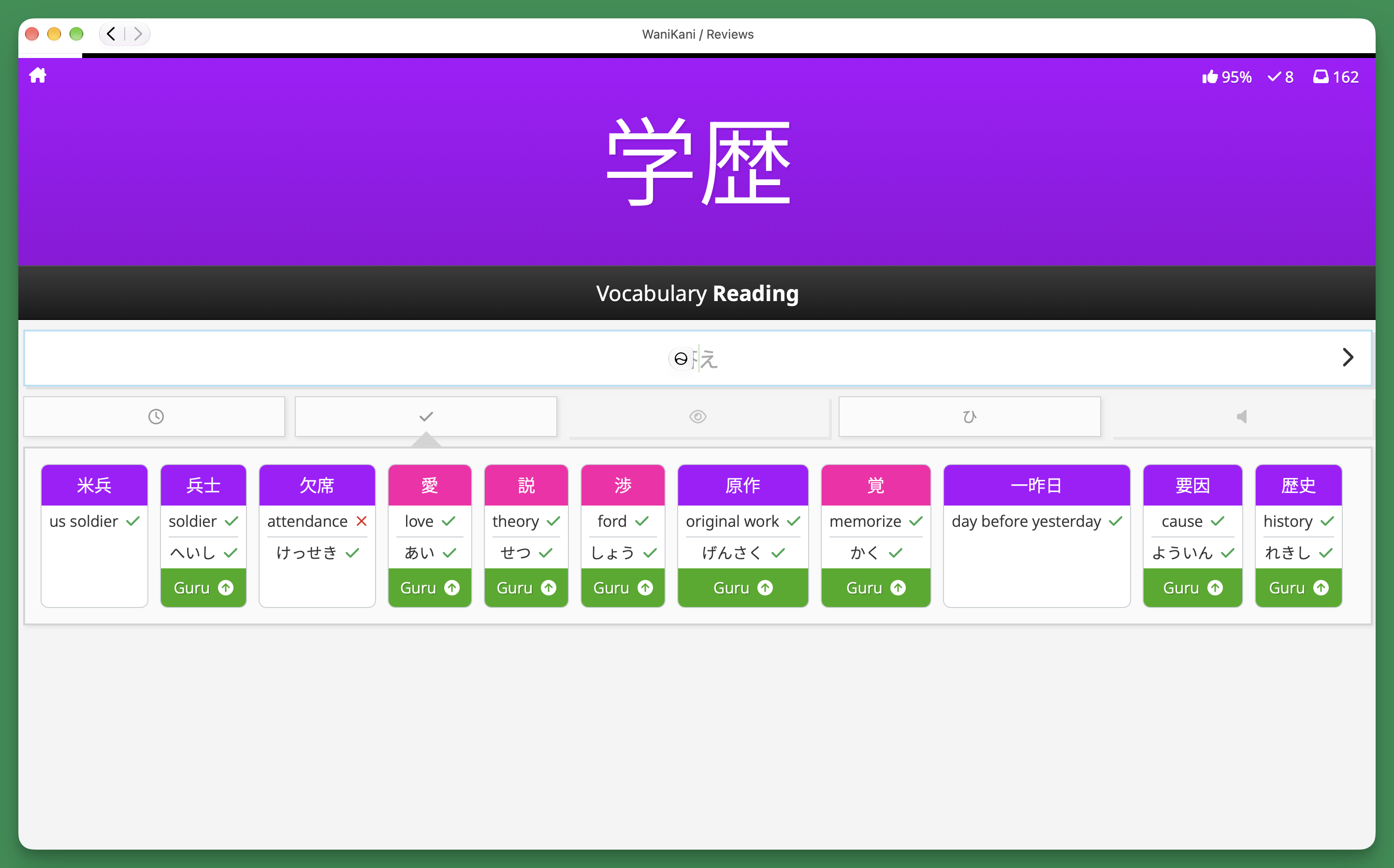
While the Last Answers tab shows you a history of the items you’ve answered, it only shows the sides you’ve already done. To me, it feels like a nice little checkbox, showing you what you’ve gotten done. It’s like I’m trying to “collect” both the meaning and reading, and I kind of look forward to seeing the other side so I can finish the set. But maybe I’m just broken.
Seeing your incorrect answers has been helpful as well. I don’t know about you, but there’ve been times when I’ve answered the same exact incorrect answer multiple times. I just forgot what I answered before, and my brain still believed that was the correct answer. So now, at least, you can see that you shouldn’t guess that answer again. Try something new.
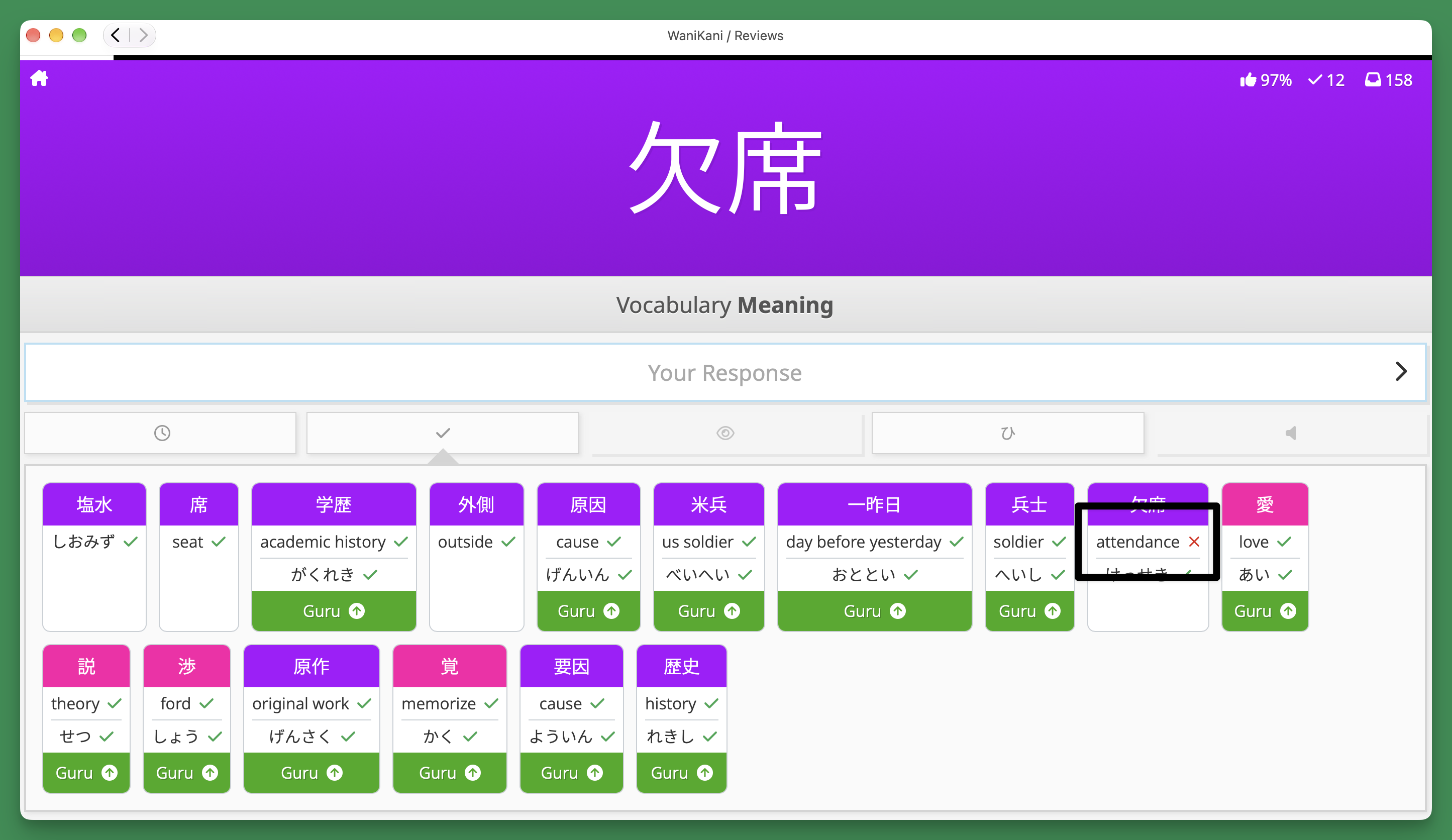
After completing an item, you can see what SRS stage it was moved to. This applies to both right and wrong answers.
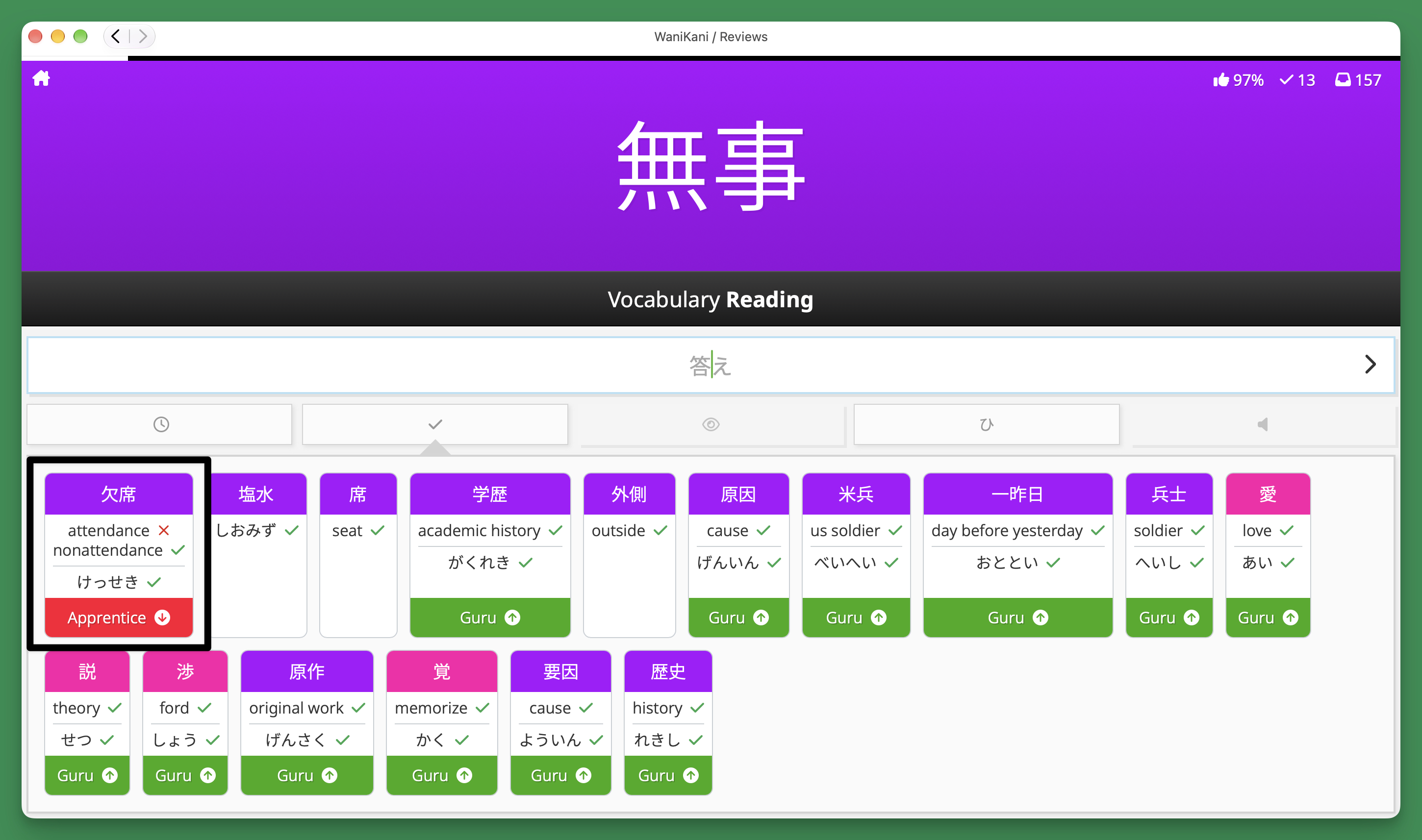
It’s almost like the Summary Page one hears of in legends about the past.
There are a couple things we want to do to make it a little more convenient, but in the meantime, I hope you enjoy this nice little improvement to this Reviews tab.