

WaniKani’s dashboard has a new Lessons Button area called “Today’s Lessons.” Now when you start your Lessons, instead of getting ALL available Lessons, you will be given a batch of Lessons created by the WaniKani Alligatorithm™️.
Dashboard Changes
The new default Lessons button will start by giving you a smaller batch of Lessons, depending on how many Lessons you have available. This smaller batch of Lessons will help you to do your Lessons more regularly and consistently. This will help you to avoid Review dumps, typically caused by doing too many Lessons in one sitting. We will also mix in different item types into your Today’s Lessons batch. Mixing the item types you learn will help you to contextualize individual items more effectively while strengthening their recall speed and strength.
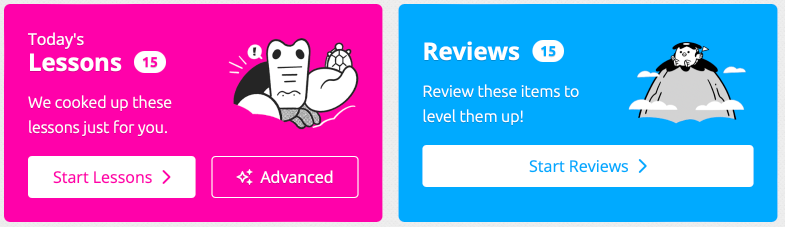
When you finish all of your Today’s Lessons, you’re done for the day! That said, you gluttons for punishment can always use the “Advanced” tab and choose to do more (or all) of your Lessons.
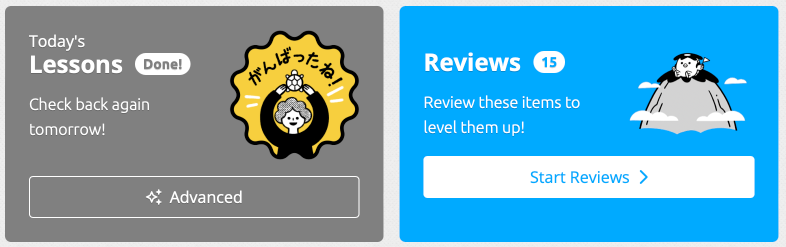
You’ll also notice that the counts shown at the top of the page have been updated to represent the current remaining lessons for the day. This is a change from before where the count showed the total number of lessons still to do overall.

Advanced Mode: Lesson Picker
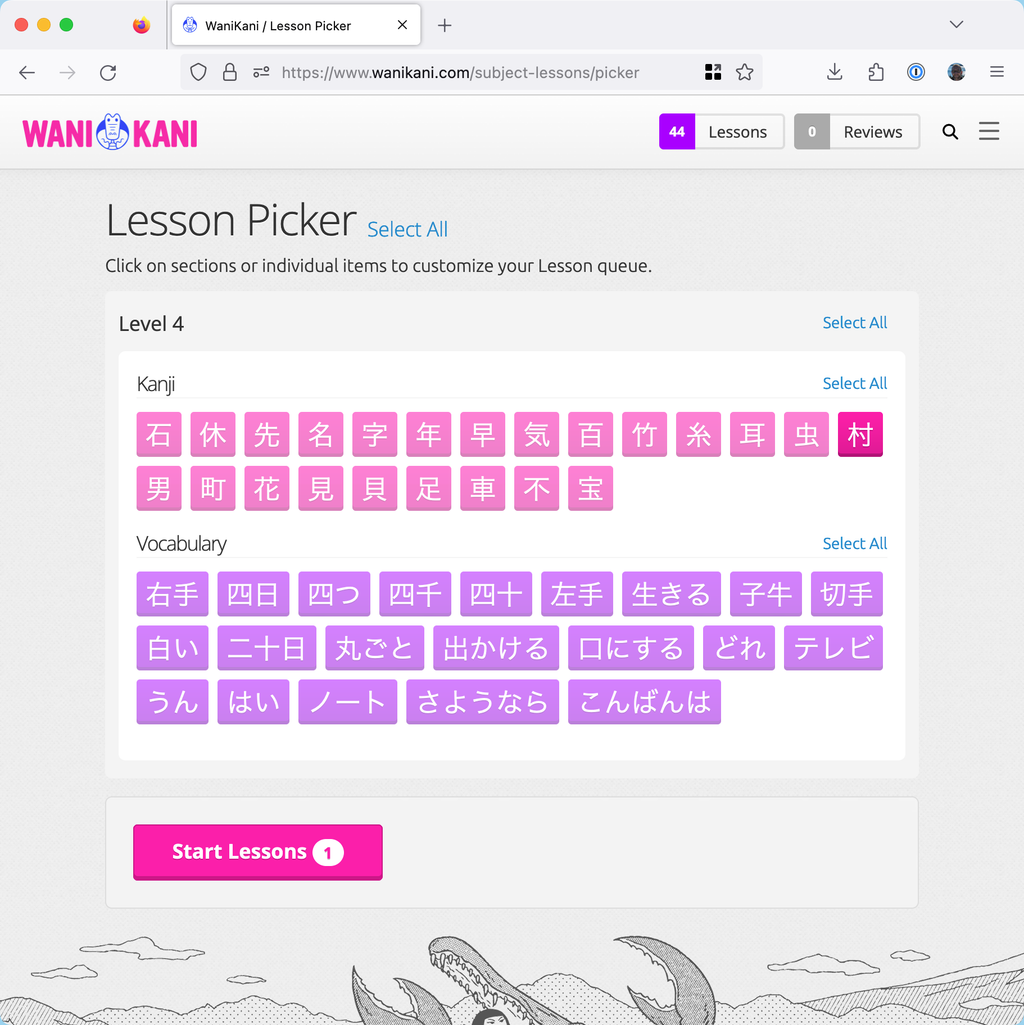
The Lesson Picker is a page that allows you to see all your unlocked items in one place, and choose exactly what items you’d like to learn in your Lessons during your next session.
The Lesson Picker is aimed at WaniKani “power users” — experienced WaniKani users who know the system really well, and have reached the stage where they want to be able to tweak it, and have more freedom over what they learn and when.
There are a few reasons why you might want to customise your lesson queue as an experienced WaniKani user. For example, to keep your motivation up on a day you’re feeling tired, perhaps you select only the Lessons you really feel like studying that day, or the vocabulary that are based on kanji you already know well, to reduce the mental load. Or perhaps you want to fine-tune your schedule and you know how to do it by selecting only radicals, or only vocabulary, or by finishing lower level items only and avoiding levelling up.
Maybe you already know some of the vocabulary (lower-level additions, kana-only additions, etc.) or you don’t want to learn them for some reason (baseball vocab, anyone? ⚾️), so you want to skip those items. Having more say over what you’re learning will help you get where you want to be faster, and stay motivated along the way.
In other words, we hope that this page will give experienced WaniKani users much more control over what you’re learning, and keep you motivated for the long haul.
Lesson page changes
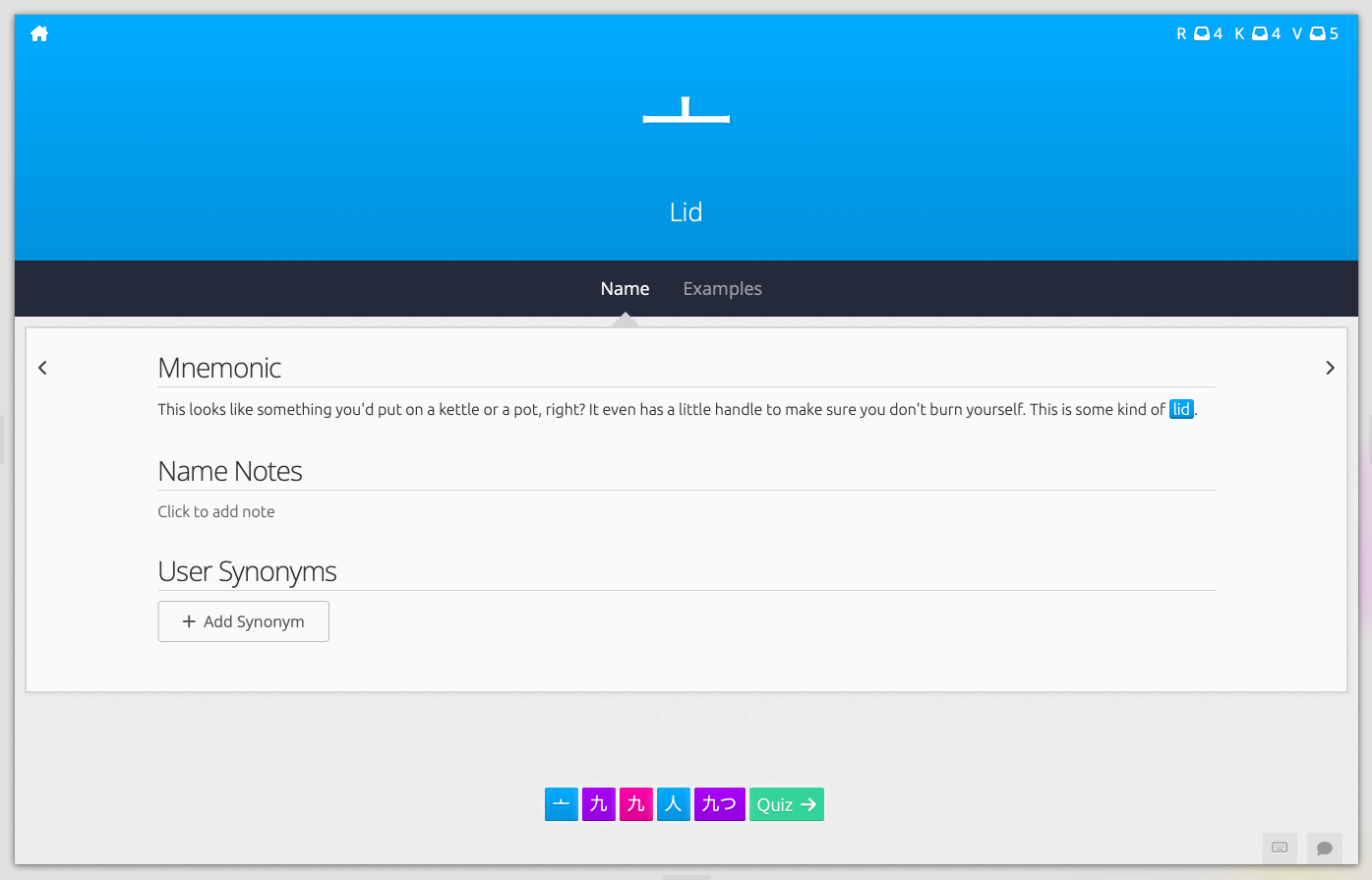
The lessons now have a couple of changes too. The counts on the top of the page represent the number of items in the current lesson queue. The queue is either the number of lessons you have in your “Today’s Lessons” or the number of items you have chosen from the lesson picker, not the total number of lessons you have available. The example below shows that the user has a lesson queue of 13 items with 4 Radicals, 4 Kanji, and 5 Vocabulary.
Lesson Ordering
If you choose to select subjects from the Lesson Picker to do lessons, the ordering of the subjects remains subject level, subject type, and then subject lesson position. Today’s Lessons however uses the same selection process as the Lesson Picker, but will interleave subject types using the WaniKani Alligatorithm™️ to ensure you have a healthy mix of subjects, as further explained below in the FAQ.
Settings Page changes
As a consequence of the new algorithm mention above, the ability to set the lesson ordering has been removed from the app settings page.
FAQ
Q. Why are you recommending fewer Lessons now (compared to before, when you’d just do all Lessons)?
Even though you’re using mnemonics to help you to memorize more than you could otherwise, there is a limit to how many items you can learn in one sitting. We’re trying to limit learners from memorizing too much in one go. Also, doing too many Lessons at once has the second order effect of creating a large number of Reviews that just keep coming back (in the short term). Spreading out Lessons has the effect of keeping Reviews more consistent on a daily basis, with fewer spikes.
Q. Where did all my Lessons go? Why are you holding me back!?
Although we only recommend a portion of your available Lessons (assuming you have enough available Lessons), you can still do more (or all of them) by selecting “Advanced” in the Lessons area.
Q. Why do recommended Lessons include a mix of item types now? Shouldn’t I go in order?
The act of mixing the learning of different things is what’s known as “interleaving.” Essentially, learning different types of things right next to each other creates additional (bonus!) connections in your brain, and this added context and connections make for a faster recall speed and strength. And even though it adds a little more difficulty (or perhaps because it adds some difficulty), it is helping you to contextualize what you’re learning which allows for an overall deeper understanding. Plus, learning the same item types over and over gets a bit repetitive, doesn’t it? We don’t want you falling asleep. When additional item types are added, this interleaving will have an even stronger effect.
Q. What do I do once I’m done with all my Lessons for the day?
You’re good! We don’t think you need to do any more. Clear out your Reviews, if you have them. And take a look at your Recent Mistakes. Or, if you really want to do more Lessons, you can use the “Advanced” option to do more. But really, you should take a break.
Q. How are the max number of recommended Lessons calculated?
The number is 3 times your batch size. If you’d like to get more lessons in your Today’s Lesson queue, go to your settings and increase your lesson batch size. If you find your lesson queue is too big, decrease your batch size.